
Scales#
Automated scales are essential precision instruments in laboratory automation, providing gravimetric measurements for liquid handling verification, formulation, and analytical workflows.
While conceptually simple, proper integration requires understanding how scales handle zeroing, taring, and measurement stability.
This section covers:
Core scale features:
zero(),tare(), andread_weight()Understanding how scales calculate displayed weight
Connecting to scales via serial interfaces
Handling measurement stability and timeout parameters
Device-specific configuration and limitations
How Scales Calculate Weight#
Understanding how scales calculate the displayed weight helps clarify the difference between
zero() and tare():
Displayed Weight = (Current Sensor Reading - Zero Point) - Tare Weight
Zero Point: The baseline sensor reading when you call
zero()with an empty platformTare Weight: The container weight stored in memory when you call
tare()Current Sensor Reading: The actual load currently on the weighing platform
Important: Neither zero() nor tare() restores the scale’s capacity. If your scale
has a maximum capacity of 220g and you zero it with 5g already on the platform, you can only
add 215g more before reaching the limit.
Core Scale Features#
Every automated scale in PyLabRobot must implement at least three fundamental machine features (implemented as frontend methods):
zero()#
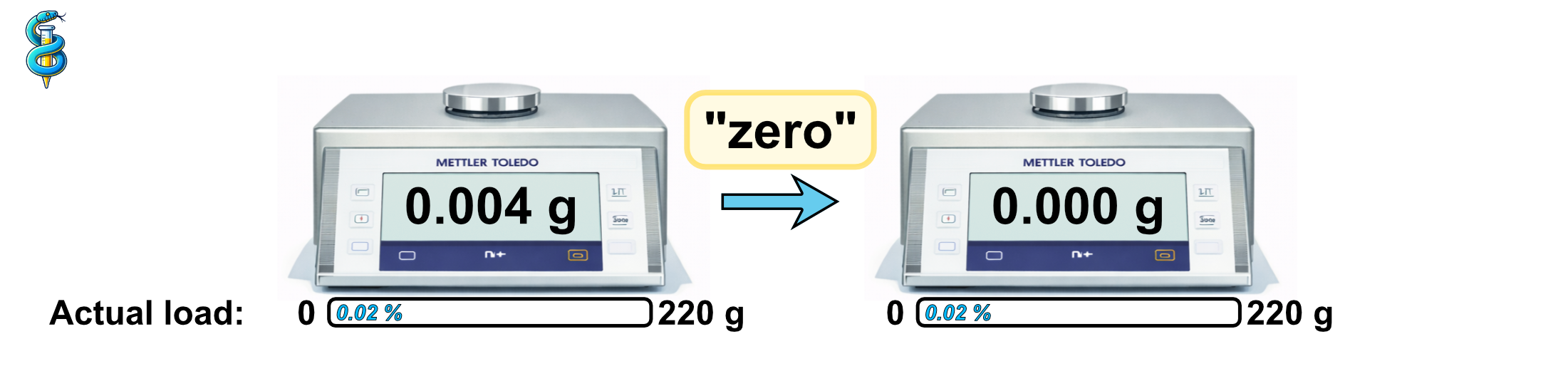
Calibrates the scale to read zero when nothing is on the weighing platform. Unlike taring, this doesn’t account for any container weight—it simply establishes the baseline “empty” reading. You typically zero a scale at the start of a workflow or when you’ve removed all items from the platform and want to reset to true zero.
tare()#
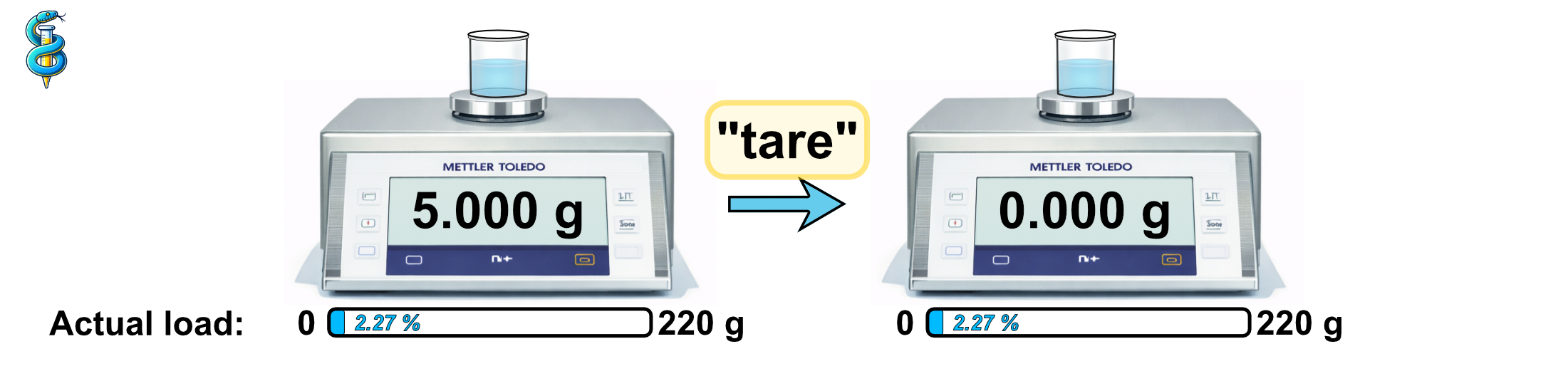
Resets the scale’s reading to zero while accounting for the weight of a container or vessel already on the scale. This is essential when you want to measure only the weight of material being added to a container, ignoring the container’s own weight. For example, when dispensing liquid into a beaker, you would first place the beaker on the scale, tare it, and then measure only the weight of any additional liquid added.
read_weight()#
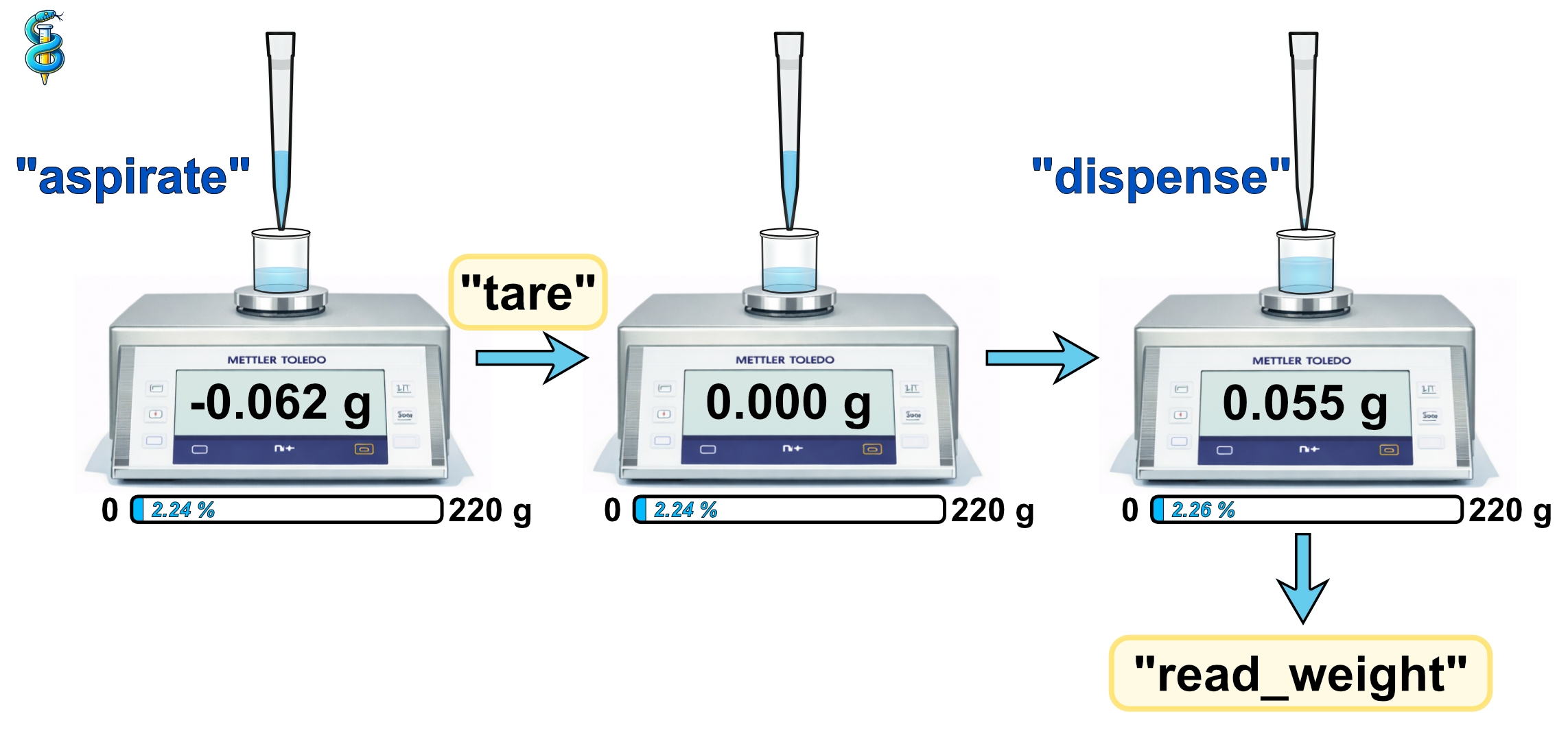
Retrieves the current weight measurement from the scale. When you place an item on a scale or add material to a container, the scale doesn’t instantly settle on a final value - there’s a brief period of oscillation as the measurement stabilizes. This is due to physical factors like vibrations, air currents, or the mechanical settling of the weighing mechanism.
Understanding the timeout Parameter#
All three core methods (zero(), tare(), and read_weight()) accept a timeout
parameter that controls how the scale handles measurement stability.
Available timeout modes:
timeout="stable"- Wait for a stable readingThe scale will wait indefinitely until the measurement stabilizes. Stability is detected either by the scale’s firmware (which monitors consecutive readings internally) or by PyLabRobot polling repeatedly until fluctuations fall below a threshold.
Use this when accuracy is critical: formulation, analytical chemistry, quality control.
timeout=0- Read immediatelyReturns the current value without waiting, even if still fluctuating. You might get different values like 10.23g, 10.25g, 10.24g in quick succession.
Use this for monitoring dynamic processes or when you need rapid feedback and can tolerate small variations.
timeout=n(seconds) - Wait up to n secondsAttempts to get a stable reading within the specified time. If the reading stabilizes before the timeout, it returns immediately. Otherwise, it returns the current value after n seconds (which may still be unstable).
Use this as a compromise between accuracy and speed, or to prevent indefinite waiting.
Example usage:
await scale.zero(timeout="stable")      # Wait for stability
await scale.tare(timeout=5)             # Wait max 5 seconds
weight_g = await scale.read_weight(timeout=0)  # Read immediately